


ZeuzBet Casino Mobile Version for Android and iPhone
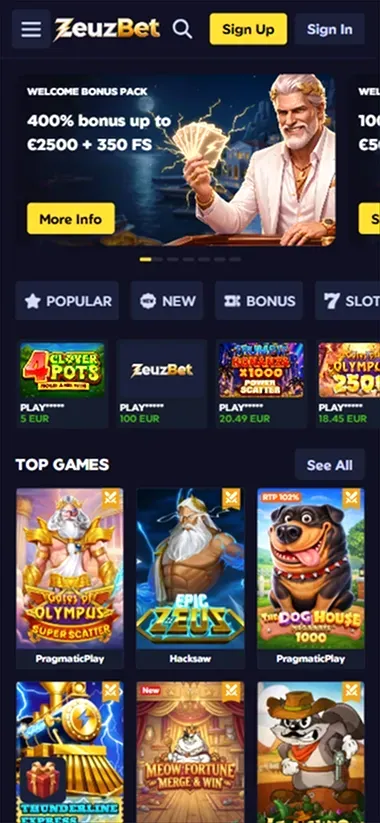
ZeuzBet Casino is accessible on smartphones and tablets without installing a separate app. Android users can open it in Chrome, while Safari works on iPhone and iPad. The mobile website provides access to personal accounts, sports markets, entertainment sections, and the cashier. For convenience, visitors can save a shortcut to their phone’s home screen.
There are no official apps in Google Play or the App Store, and the operator does not distribute an Android APK file. The interface supports English, Greek, and Portuguese, with all transactions processed in euros.
Android Access and Home Screen Shortcuts
On Android, the website opens in a regular browser. Menus and essential controls adjust to the smartphone’s display, so no additional software is required.
To avoid searching for the page on every visit, users can add a shortcut through Chrome:
- Open the current page in Chrome.
- Tap the three-dot menu in the browser.
- Select “Add to Home screen.”
- Confirm the shortcut creation.
The icon will appear alongside installed apps. Tapping it opens the website, which still requires an internet connection.
The menu option may have a slightly different name depending on the Chrome version. If it is unavailable, the page can be saved as a bookmark.
Downloading APK files from third-party sources is not recommended. The operator has no confirmed installation package, so such downloads should not be considered an official access method.
ZeuzBet Casino on iPhone and iPad
Safari is sufficient for Apple devices. The website opens without downloading anything from the App Store, and existing login credentials work on both smartphones and tablets.
On an iPhone, visitors can create a shortcut to return to the page with a single tap:
- Open the page in Safari.
- Tap “Share.”
- Select “Add to Home Screen.”
- Confirm the addition.
The same procedure works on an iPad. A shortcut does not require the storage space of a full application or provide a separate offline mode.
The operator does not publish exact minimum iOS or iPadOS versions. Using an up-to-date version of Safari is recommended for proper functionality. Compatibility with individual titles depends on the device’s capabilities.
Updates and Notifications
Changes to the mobile interface load automatically. When the operator updates the design or introduces new features, they appear the next time the page is opened. There is no need to look for updates in app stores.
A separate PWA version has not been confirmed. However, a regular home screen shortcut provides quick access to the website.
Push notifications are not supported. Reminders about tournaments, daily missions, and expiring promotions do not appear automatically on the phone. Visitors therefore need to check schedules and available rewards themselves.
Signing In and Keeping Account Data
Registration on a smartphone uses a short form with Email and Password fields. After submitting it, users must confirm their email address. Google and Twitch are also available, allowing authentication through an existing account with either service.
Those who already have a profile created on a computer do not need to register again. The balance, transaction history, and accumulated ZeuzBet Coins remain available when switching devices. Progress in Reward Center is also preserved after signing in.
Forgotten passwords can be recovered through email. Anyone using Google or Twitch should continue signing in through the same service selected when the profile was created.
Saving login credentials on someone else’s phone is not recommended. It is better to sign out manually after each session.
Entertainment and Payments on Smartphones
The mobile website provides access to sports markets, slots, quick rounds, and live dealer tables. Available titles include Book of Dead, Le Bandit, and Aviatrix. Visitors can also check daily missions, use the Shop, and collect rewards through Lucky Boxes. Access to individual releases depends on browser and device compatibility.
The cashier accepts Visa, Mastercard, Revolut, Skrill, Neteller, and MiFinity. Apple Pay and Google Pay are also available for adding funds, but neither supports withdrawals. Payouts range from €20 to €500 per transaction, with processing taking up to three banking days. KYC verification is required before the first withdrawal, and documents can be photographed and uploaded directly from a phone.
Troubleshooting Technical Issues
If a page fails to load, first check the internet connection and refresh it. If the problem continues, try updating Chrome or Safari or clearing the browser cache.
When an individual slot does not open, device incompatibility may be the cause. In this situation, checking whether it works in another modern browser may help.
If signing in is unsuccessful, use the password recovery option. There is no need to create a second account with the same email address.
Questions about login issues, payments, and document verification can be directed to 24/7 customer support through live chat or email. Assistance is available in English, Greek, and Portuguese.
The connection is protected by SSL encryption. For those who need to restrict their gambling activity, self-exclusion is available for periods ranging from six months to five years. Requests are handled through customer support.
General information about ZeuzBet Casino, sports betting, and the loyalty program is available on the main page.